Showing posts with label volume. Show all posts

Friday, March 10, 2017

How to increase default volume of any android device

How to increase default volume of any android device


How to increase default volume of any android device?

Increase volume of any android device[fully working method]

Some of our phones have very low speaker output. This is because of the default handsets settings, but this problem can be overcome by some tricks using some apps. Even the quality of sound can be increased with a touch of awesome bass and treble. So lets get started.
This post is divided into two parts one is for non rooted users and  the other for rooted users.

==> NON ROOTED USERS

This can be done by either MTK engineering mode which works on devices having MTK(MediaTek) chipsets or those who dont have MTK they can simply use the Volume+ app which works on all devices.

Using MTK Engineer Mode


Step 1- Enter *#*#3646633#*#* in the dialpad.

Step 2- Enter engineer mode (MTK).

Step 3- Snap towards right and go to hardware testing.

Step 4- Select Audio option.

Step 5- Go to LoudSpeaker mode.

Step 6- In this default value is 128 change that value to 140 (or according to your requirements) and press set.

Step 7- Dont exceed this value above 145 or 150 it may damage your speaker.

Step 8- Now close the engineer mode and check the volume of your device.You will feel the change in your audio.

NOTE- THIS METHOD ONLY WORKS ON DEVICES HAVING MTK CHIPSET SO FOR DEVICES HAVING SNAPDRAGON OR OTHER CHIPSETS CHECK OUT SECOND METHOD.


Using App Volume+


Download and install Volume+ app the link is given below.

This works on both rooted and non rooted devices!!


Step 1- Open app and go to speaker settings.(as shown in screenshot)

Step 2- Enable Audio or Speaker Modifications.

Step 3- Change volume level to 10 (max for some devices) or upto 20 depending upon the desired output.

Done!!

==> Volume+ App download <==


==>NOW FOR ROOTED USERS


Viper4Android

It is a brilliant app for the rooted users. It increases the sound quality with a polished good bass quality enhancement. So if your device have poor or has average audio quality and you are 
a rooted android user then this app is the one and only perfect solution for your problem. It is an all in one audio control system that supports almost all the devices from 
Android 2.3 to Android 4.4.


VIPER BASS AND VIPER CLARITY not only increases the bass output but also clears the distorted output due to heavy bass thus providing a quality audio output.
Download link is given below so lets get started. 

NOTE- INSTALL BUSYBOX FROM PLAYSTORE AND INSTALL THE BINARIES AND REBOOT YOUR DEVICE.


Step 1- Download ViPER4Android and extract the file. You will get two file namely ViPER4Android_FX_A4.x.apk and ViPER4Android_FX_A2.3.apk. So if you are on Android 2.3 or above 
install ViPER4Android_FX_A2.3.apk and if you are using Android 4.0 or above install ViPER4Android_FX_A4.x.apk.

Step 2- Install the application.

Step 3- Open the app and grant superuser permission a pop up will come having three options Super Audio Quality, High Audio Quality and Power Saving. Select Super Audio Quality.

Step 4- Reboot your device for proper drivers installation.

Step 5- Open the app go to phone speaker option enable it. Now choose between different equalizers for best Audio experience.

DONE!!

==> Click here to Download Viper <==

For any queries please comment below we will provide you BEST solution ASAP!! 


Available link for download

Read more »

Thursday, December 15, 2016

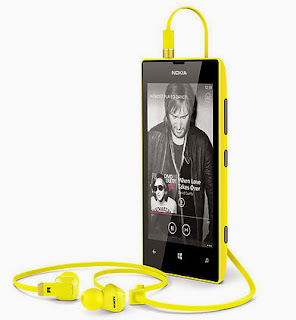
How To Fix Nokia Lumia Headphone Jack Problems Like One side Only Low Volume etc

How To Fix Nokia Lumia Headphone Jack Problems Like One side Only Low Volume etc


Last week my friend bought Nokia Lumia 625. The phone is amazing in looks and build quality. It has a great spec for the price tag expect the 512 MB RAM and the lack of NFC and magnetic sensor. It could be better if it has a 1 GB RAM as some of the games in the windows app store are optimized only for 1 GB RAM only. Even it has 512 MB RAM there is no hang or lag issues that we are facing in the low end Android mobiles.

After using 3 days he faced a problem with the headphone jack. In headphone the sound was only coming in one side. The same headphone tested with galaxy S3 and worked fine. We tried using S3 headset, but no luck. According to Google search results the headphone problem is a common issue in almost all Lumia phones mostly in 520,620,625,720,820,920 etc. Finally, I found a simple and working solution commented by MaulerX at WP Central forum.

Solution
- Restart the Phone

Thats It....Tested and Works Fine in Lumia 625.

nokia lumia headphone jack problem

source


Available link for download

Read more »

Friday, November 25, 2016

How To Disable Increasing Ringtone Volume in Galaxy Note 3 S4 S3 and all other Samsung and LG Mobiles

How To Disable Increasing Ringtone Volume in Galaxy Note 3 S4 S3 and all other Samsung and LG Mobiles


Sometimes the manufacture includes many annoying settings with the Android updates which are not changeable by default. You may notice that from Android 4.3 onwards Samsung made the ringtone volume setting to ascending / increasing mode and there is no option included to disable it. Even Samsung provided it as an updated feature many users complaints it as annoying.

This option is very much annoying because we cant hear our favorite ringtone in its real structure. The ring tone starts quietly, then increase to the level the volume was set at. Even Samsung hasnt included the option to disable ascending / increasing ringtone volume we can still disable it using third party apps or switching to any custom ROM.

Flashing a custom ROM to disable increasing volume may not fit for every user. So, in this post I included the download link of an Android app which uses to Disable Increasing Ring. The app is available for free at Google Play.

How To
1. Install Disable Increasing Ring
2. Open the app

Thats it..

Note:
To hide the Disable Increasing Ring app notification uncheck Show notification in App info.

Disable Increasing Ring (Playboard) | Disable Increasing Ring (Play Store)


Available link for download

Read more »