Showing posts with label 6. Show all posts
Showing posts with label 6. Show all posts
Saturday, December 17, 2016
How to remove frp g928t s6 edge plus 6 0 1
How to remove frp g928t s6 edge plus 6 0 1
Hey , here is a full tutorial working trick of removing FRP Lock in s6 edge plus ( g928t ) (100%) Done

Unofficial Support Site By All Mobile Solutions
I tried some tools and box like Z3X and chimera tools but they cant be able to remove Samsung account from my Samsung g928t running on 6.0.1 versionSo the only method is first you downgrade it from 6.o.1 to 5.1.1 by using odin Because it is not possible to remove FRP in V6.o.1 then By using z3x or chimera tools you can remove FRP lock
So download the s6 edge plus ( g928t ) v5.1.1 file from the below link and flash by odin .
Download file from HERE
Note: Use this at your own risk
Follow us on Facebook
Available link for download

Friday, December 9, 2016
Hd 6 Ch Audio Codec
Hd 6 Ch Audio Codec
Hd 6 Ch Audio Codec
Details:
File name: hd_6-ch-audio-codec.rar
Size: 4.425 MB
Driver version: 4.78
Rating: 9.7 / 10
Total Downloads: 2496
If you need hd 6 ch audio codec, just click below. All drivers are scanned using antivirus software and 100% compatible with Windows OS.
Available link for download
Hot! Download latest Android Marshmallow 6 0 1 stock firmware for N106 tablet
Hot! Download latest Android Marshmallow 6 0 1 stock firmware for N106 tablet

Download latest Android Marshmallow 6.0.1 stock firmware for N106 tablet from here or from here.
Firmware details
Archive? A83T_N106_N1061L6BC_20160309-ok
Image: A83T_N106_N1061L6BC_20160309-ok.img
Build number: A83T_N106_N1061L6BC.20160309 / octopus_ibt-eng 6.0.1 MMB29M 20160309 test-keys
FW version: v6.0rc4_20160307
Style: N1061L6BC
Company: Inet
Pixels: 800 x 1280
Caution: Please do not update firmware unless you know what you are doing, you really want it or it is absolutely necessary. Firmware updates may occasionally have bad results, like bricking your device, temporarily or permanently. The firmware update process is done entirely at your own risk. Before attempting to update the firmware, back up your data.
Don’t miss any of our future video tutorials, follow us on Youtube. Like us on Facebook. Add us in your circles on Google+. Watch our photo albums on Flickr. Subscribe now to our newsletter. Biggest firmware download center.
Archive? A83T_N106_N1061L6BC_20160309-ok
Image: A83T_N106_N1061L6BC_20160309-ok.img
Model: N106 tablet
Firmware: Android Marshmallow 6.0.1 stock
Archive size: 254 MB
Platform: Allwinner A83T octa-coreFirmware: Android Marshmallow 6.0.1 stock
Archive size: 254 MB
Build number: A83T_N106_N1061L6BC.20160309 / octopus_ibt-eng 6.0.1 MMB29M 20160309 test-keys
FW version: v6.0rc4_20160307
Style: N1061L6BC
Company: Inet
Pixels: 800 x 1280
Caution: Please do not update firmware unless you know what you are doing, you really want it or it is absolutely necessary. Firmware updates may occasionally have bad results, like bricking your device, temporarily or permanently. The firmware update process is done entirely at your own risk. Before attempting to update the firmware, back up your data.
Don’t miss any of our future video tutorials, follow us on Youtube. Like us on Facebook. Add us in your circles on Google+. Watch our photo albums on Flickr. Subscribe now to our newsletter. Biggest firmware download center.
Available link for download
Wednesday, November 30, 2016
How to Set Password on Asus ZenFone 5 6
How to Set Password on Asus ZenFone 5 6
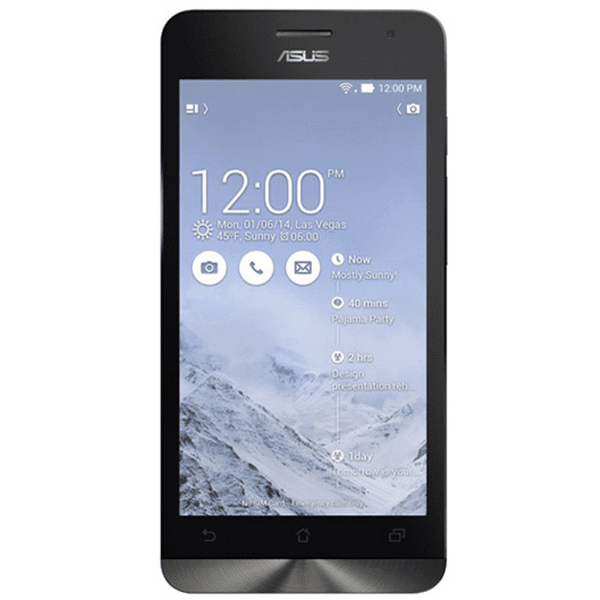
To set a password on your Asus ZenFone 5/6 phone, you can make reference to the following steps.
Step 1: Open Settings.
Step 2: Find and click Lock screen.
Step 3: Choose Screen lock to move on.
Step 4: Select Password from the items offered.
Step 5: Type at least 4 characters to be the password and choose Continue.
Tip: There must be at least one letter in the code.
Related Articles:
How to Enable USB Debugging in Asus ZenFone 5/6
How to Set Password on Asus PadFone
Asus Android USB Driver
How to Set A Password to My Android Phone
How to Set A Password to My Android Phone
Available link for download
Thursday, November 24, 2016
How to Enable USB Debugging in Asus ZenFone 5 6
How to Enable USB Debugging in Asus ZenFone 5 6

Is there no USB debugging in Asus ZenFone 5/6 phone? Actually, it does exist, but it is hidden. And this article, for your convenience, will summarize the steps to enable USB debugging in ZenFone 5/6(Android 4.3).
Step 1: Go to Settings.
Step 2: Click About.
Step 3: Open Software information.
Step 4: Tap Build number continuously until a pop-up hint informs you that you’ve entered the developer mode.
Step 5: Return to Settings.
Step 6: Find and open Developer options.
Step 7: Select USB debugging and click OK.
After these seven steps, the USB debugging is enabled successfully.
Related Articles:
Asus Android USB Drivers
Related Articles:
Asus Android USB Drivers
How to Set Password on Asus ZenFone 5/6
How to Set Password on Asus PadFone
Available link for download
Subscribe to:
Posts (Atom)