Showing posts with label iphone. Show all posts
Showing posts with label iphone. Show all posts
Monday, April 10, 2017
How To Remove bypass ICloud ID on Iphone 4
How To Remove bypass ICloud ID on Iphone 4
How To Remove iCloud ID on Iphone 4 iOS 7.1.2
How to remove iCloud account from iphone 4
how to remove icloud id without password iOS 7
step by step how to tutorial
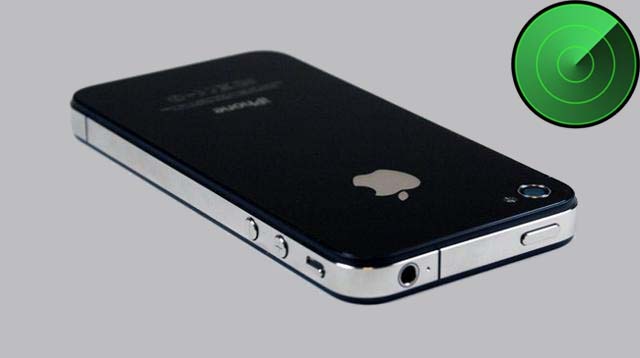
Note:- This tutorial is only for educational purpose . Android soldier does not support any illegal activities or stolen devices, even we condemn this kind of activities. The tutorial was written on the request of my followers . This tutorial is for those who originally bought devices,original owner and forget their icloud password or icloud id or they have bought 2nd hand iphone and previous owner block it , not for them who are involved in any illegal activities.
Understanding iCloud .
iCloud is backup service from APPLE . iCloud was the greatest addition in all Apple OS platforms to secure the consumers from lost , theft . This is best protection feature which every iphone user must use to backup his/her personal data . The main feature of Icloud is called "find my phone" option. If you ever have turn this option on ,then you can locate your stolen iphone , erase it and block it to prevent from misuse . Even restore ,flashing or upgrading iOS will not work until you know the exact icloud id which used to backup data or block the iphone. All you have to do login on icloud website , use your Apple ID, password which were installed on stolen or lost iphone. Icloud can also be used to transfer your data from iphone to another iphone (Contacts,sms,picture 5gb maximum).
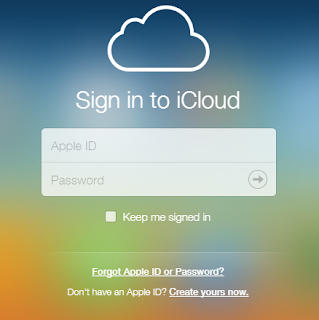
How to remove Icloud account from iphone 4
By following this tutorial you can only bypass iphone 4 which is not activated yet and stuck on icloud id . After bypass you will not be able to use cellular services any more . "NO MORE SIM". however there is method in which you can use cellular services as well after bypassing but for that you need to be on ios 7.1.1.
First download bypass package .The package include two software, one is called ssh_rd_rev04 and another one called winSCP. unzip folder and install winSCP .
- Put your iphone 4 into DFU mode . (press power + home button together and count 10 , then leave power button but keep pressing home button and count 01-30.) Now connect your iphone to computer . Windows will recognize iphone and install drivers for DFU Mode. do not run itunes during all procedure.
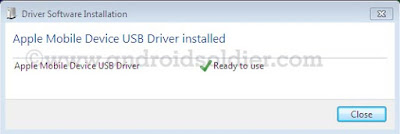
- Now open ssh.jar file . Make sure you have java installed on your computer

- Ssh.jar will download firmware . After few minutes ssh.jar will exploit bootrom. When the romdisk loaded your iphone will be reboot and freeze on apple logo throw out the whole process. Do not turn off your iphone.
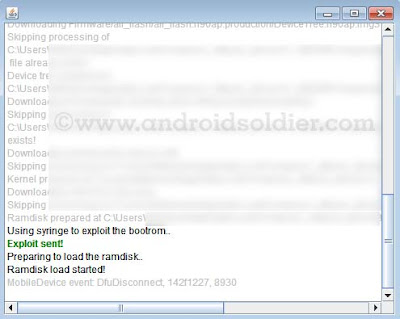
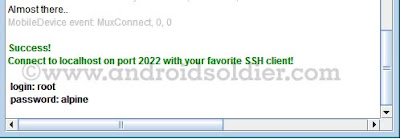
- Ssh.jar will do some more changes and at the end you will see the username and password shown by ssh.jar . Login:root password:alpine
- Now double click on winSCP icon and run it , and write information which is indicated in image below then click on login.
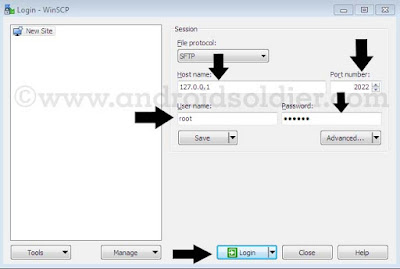
- A pop up window will be come forward and will search for host throw IP.

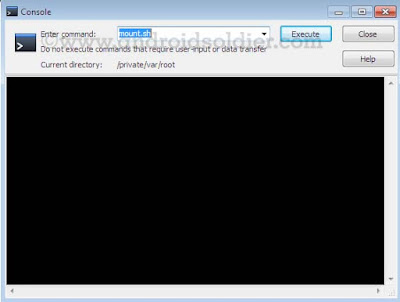
- winSCP window will open . Now open console by press CTRL+T or click on console option.
- Now write "mount.sh" and execute while winSCP window will remain open.
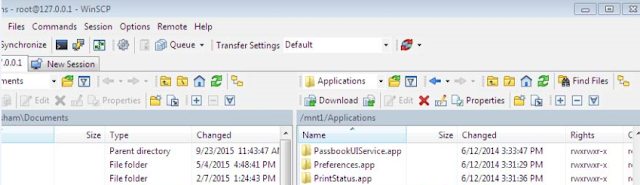
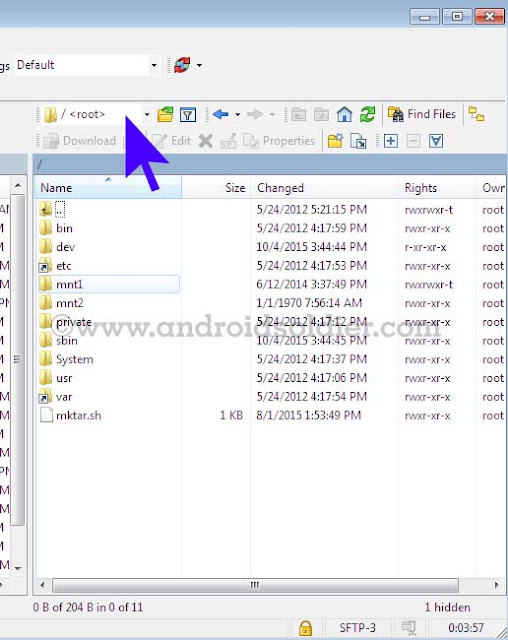
- Now you are in winSCP windows where you see root directory of your iphone. winSCP will display two windows , left will be show your desktop and right side will show your iphone root directories. Select /root as mentioned in image below .
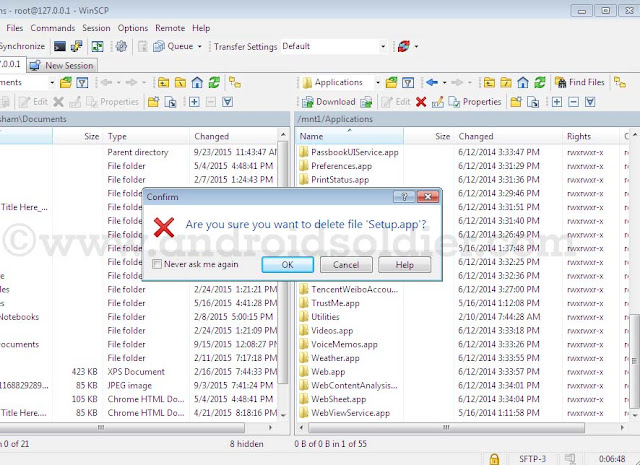
- Now go to var then application . you will see setup.app . Delete setup.app by right click .
- you are done . You iphone 4 will be automatically reboot in recovery mode . An itunes and cable option will be come to screen on your iphone. If your phone does not reboot automatically , reboot it manually by pressing power button. Download TinyUmbrella , open and click on exit recovery. you are done .

There are many icloud bypass methods are available but this method is 100% successful method. So do not waste your time trying short methods.
Things to remember:-
This tutorial is only work with iphone 4 and not applicable on iphone 4s , iphone 5,5s,5c ,iPhone 6,6+,6s,6+s because except A4 Chip exploit of bootrom is not possible until now.
After bypass icloud account you will not be able to use cellular services .
You will not be able to use your iphone with iTunes.Wifi only.
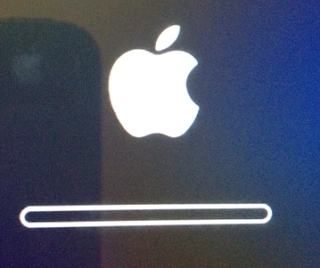
During all procedure your iphone must stay on apple logo with flashing bar( see image ) . If your phone turn on at some point you have repeat all these steps again.
Available link for download

Thursday, March 9, 2017
How to Fix Your Apple Id had been Disabled iPhone
How to Fix Your Apple Id had been Disabled iPhone
This is supremely annoying, particularly if you happen to you are making an attempt to learn your mail or get the most recent app from the App Store. But it is all for one of the best, as a result of typically this warning signifies that someone has been attempting to get into your Apple account, and Apple has thwarted them. Your Apple ID is locked sometimes when someone enters your password incorrectly too many occasions.
Heres the right way to unlocked a disabled Apple ID and account that is been locked for safety reasons.

How to unlock your disabled Apple ID
- Open Safari browser
- Visit iForgot site (http://iforgot.apple.com)
- Fill mandatory fields (First Name, Last Name and Email Address)
- Click Next button
- Enter the number and click on Next button, If you have two-step verification then enter verification code who receive on registered number.
- Enter your new password
- Click on Reset Password button.
Now you will have access app store with new Id password and never see "Your Apple Id had been Disabled" message on your iPhone.
Available link for download
Saturday, February 11, 2017
How to factory unlock iphone for indians and other operators
How to factory unlock iphone for indians and other operators

How to factory unlock iphone for indians and other operators
Here is our experience on legally unlocking iPhone 4, which was bought from AT&T USA. We recently unlocked the iPhone legally and started using with Airtel in India.
When we moved from USA to India, one of the gadgets my wife wanted to bring was an iPhone. Just before returning to India, we bought an iPhone from AT&T in USA and paid the cancellation charges to cancel the contract with AT&T. We were of the impression that once we pay the contract cancellation charges, the phone will become ours to keep and use it how and where we want to use it.
Once we reached India, we realized that is not the case. We failed to unlock the iPhone 4 anywhere in India. After making several attempts in various ways, we gave up on unlocking iPhone. Finally, we were able to make the iPhone 4 work in India using a Gevey Ultra we imported from USA.
Even though Gevey Ultra worked reasonably well, it often required reconfiguration on the iPhone, which was a pain to do all the time.
Once we reached India, we realized that is not the case. We failed to unlock the iPhone 4 anywhere in India. After making several attempts in various ways, we gave up on unlocking iPhone. Finally, we were able to make the iPhone 4 work in India using a Gevey Ultra we imported from USA.
Even though Gevey Ultra worked reasonably well, it often required reconfiguration on the iPhone, which was a pain to do all the time.
The good days came to an end when we accidentally upgraded our iPhone 4 to the latest iOS 5.1 operating system. When iOS 5.1 was installed on iPhone, it locked out the Gevey Ultra and the Airtel SIM was no longer working. The iPhone would no longer recognize the SIM and it became another toy on our table.
Unlock iPhone 4 through AT&T
After keeping the iPhone in the shelf for several months, we heard the official announcement from AT&T about the unlocking process. We immediately called AT&T to find the reality. We were not very confident since I had called AT&T several times in the past asking for help to unlock but they refused to unlock the phone even though we said we had paid out all contract cancellation fees.
When we called this time, one of the menu options in their automated phone system was Press 1 if you are calling to unlock your iPhone. That was music to our ears!
The process was very easy and simple this time. See the steps we followed which results in unlocking our AT&T iPhone:
1. Called AT&T customer service
2. Gave our original AT&T cell phone number which we used with the iPhone more than a year ago and theIMEI number of the phone.
3. AT&T representative verified the record to make sure we had paid out all contract cancellation fees. In case you did not cancel your contract but completed your 2 year contract period, that would qualify.
4. AT&T representative updated their system and recorded our request for unlocking. They suggested us to wait for an email from Apple explaining the unlocking process.
5. Within a day, we got an email from Apple asking us to do a simple process - backup the iPhone using iTunes and then restore from the backup.
6. We went to Airtel office in India, applied for a new Micro SIM to match the iPhone. Within 2 minutes, we got the new Micro Sim and it got activated within 10 minutes.
7. We came home from Airtel, connected iPhone to the computer, opened iTunes and selected "Backup iPhone".
8. Once the backup was completed, we chose "Restore from Backup".
When the phone was restored from backup, Apple pushed the unlock code to our phone which unlocked the phone permanently!
Here is the welcome message we got:

My wife was literally dancing because it has been more than a year she was struggling to use her iPhone 4 in India with Airtel service provider.
However, the joy did not last long. Even though the iTunes showed the phone is successfully activated, the phone was still showing "No Service" error. My wife was about to explode but I suggested her to complete the wizard in iTunes and click "Continue" until she get out of the wizard to complete the restore process.
Once we completed the restore wizard in iTunes, the phone started flashing and then it gave the moment of celebration to us with the label "Airtel" appearing in top left corner of the phone.
The one year long wait seem to have come to an end. We made couple of calls from the iPhone 4 and the unlocked iPhone 4 appears to be working great with Airtel.
We are using an iPhone 4, but I am pretty sure the same process will work for iPhone 4S. Also, even though we are using Airtel, you should be able to follow same unlock process and should be able to use your iPhone with any other service provider in India.
SIM not found error in iPhone when using Airtel micro SIM
When we received the micro Sim from Airtel, we had no patience to wait until we connect to iTunes and perform the backup and restore process suggested by Apple to complete the unlock process. We thought since we had done several backup and restore in the past, that would be enough to complete the unlock process. So, we inserted the Airtel micro sim card to the iPhone and wife started pressing everywhere on the phone in the effort to get it working. No matter what she try, the phone kept on giving various erros including SIM not found, invalid SIM, No Service etc. At some point, she even called Airtel complaining that the Sim was not activated and is giving error with the iPhone.
Finally, it all turned out that following correct process solved the problem. Once we backed up the iPhone and restored from backup as suggested by Apple, the iPhone started working perfectly with Airtel in India.
If the above steps did not work, you may try the following phone unlocking services. GSM Unlock Labs offers affordable unlocking services for iPhone.
Available link for download
Subscribe to:
Posts (Atom)