Guide How to Flash Stock ROM on Android OPPO N1 MINI to Fix a Bootloop
[Guide] How to Flash Stock ROM on Android OPPO N1 MINI to Fix a Bootloop.
Flash Stock ROM on Android OPPO N1 MINI. This guide will help you to Flash Stock ROM on Android OPPO N1 MINI Smartphone. By flashing your Android phone you can get something new on your phone, such as new experience to use latest update of Stock ROM, or new installed Stock ROM after your phone died or bootloop, and much more. Before we proceed to flash this Android OPPO N1 MINI Smartphone, let we know what is detail specification of this Android smartphone. OPPO N1 MINI was released On 2014, August. And OPPO N1 MINI is the smartphone that comes with 5.0 Inches IPS LCD capacitive touchscreen, 16M colors, Run on Android OS, v4.3 (Jelly Bean) - ColorOS 1,4 UI as it Operating System and supported with Qualcomm Snapdragon 400 Chipset, Quad-core 1.6 GHz Cortex-A7 CPU, GPU Adreno 305, combined with 2 GB of RAM as their engine. And you can enjoy exciting 13 MP on main camera, and 13 MP on secondary camera.
Now, we start to flash Stock ROM on Android OPPO N1 MINI Smartphone. Just follow this guide below carefully. take your own risk, a damage or broken phone by following this tutorial is not our responsibility.
Guide Flash Stock ROM OPPO N1 MINI.
Before you flash OPPO N1 MINI you must read this instruction carefully, so. you can get best result at the end of your flash.
Preparation.
- Make sure you have enough battery capacity on your OPPO N1 MINI. Its recomended you have at least 80% of battery capacity.
- Always backup your important file (contact, music, video, app) that stored on OPPO N1 MINI,
- Prepare the Memory Card / SD Card which has a V-Gen Brand. For some reason OPPO N1 MINI does not recognized besides V-Gen Memory card.
- Then download OPPO N1 MINI Stock ROM.
http://assorted.downloads.oppo.com/firmware/N5116%26N5111/N1mini_11_A.11_INT_150322_OTA_011_all.zip
- Once download finish, now copy Stock ROM from computer to the phone memory or SD Card. but note that you copy this ROM at outside not to the public folder for easy finding. (if you download ROM Via PC)
- But, Stock ROM can be download directly from yourAndroid phone. And you must have a good and stable internet connection for it, such as Wi-Fi connection.
- Rom download directly from the Android phone located in the File Manager / phone / download.
Flashing Stock ROM.
- To start flashing Stock ROM on OPPO N1 MINI you must enter Recovery Mode. how to do it ?
- Press and Hold Power Button + Volume Down.
- Then you will see menu like this picture. You can select English
 |
| Flash Bootloop OPPO N1 MINI |
- Select Wipe data and cache by pressing the power button. for Up and down choice, use the volume keys Up / Down, on the next Popup screen select Wipe your data cache to make faster process.
 |
| Flash Bootloop OPPO N1 MINI |
- If appears confirmation you can select : "YES"
 |
| Flash Bootloop OPPO N1 MINI |
- Then you will bring to previous menu, and you can select Install form sd.
 |
| Flash Bootloop OPPO N1 MINI |
- Now you will see 2 options. From mobile phone storage & form SD,.
 |
| Flash Bootloop OPPO N1 MINI |
- Previously you have copy firmware file on SD Card, So. now you must select From SD. and now you can see your Firmware file name on this screen.(Stock rom name is similar as shown on the picture below)
 |
| Flash Bootloop OPPO N1 MINI |
- Select this file name using Power Button
- For Up or Down navigation you can use volume Up and Down Button.
- Then you will see a confirmation page, and you can select yes to proceed this flash on OPPO N1 MINI
 |
| Flash Bootloop OPPO N1 MINI |
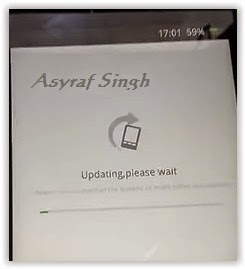
- Just wait the process finish updating system, and your OPPO N1 MINI will ask to you to reboot the device.
 |
| Flash Bootloop OPPO N1 MINI |
- Now you have finished flash Stock ROM on Android OPPO N1 MINI Smartphone.
Available link for download

