Thursday, January 19, 2017
How to Retrieve Deleted Phone Contacts from Motorola Moto G Android
How to Retrieve Deleted Phone Contacts from Motorola Moto G Android
Although for some people, deleting phone contacts of no avail is like a common meal and the error to unwittingly remove some of the useful never make them deeply upset, the other probably hold an opposite attitude that they should first find out a credible method to retrieve the deleted contacts, and then constantly remind themselves of this lesson so as not to make the same mistake twice. If you are for the latter, this article will tell you how to retrieve deleted contacts from Motorola Moto G Android phones with an Android phone contacts recovery program, and you can learn the method and try to apply it in this type of phones as well as other Android phones.
Firstly, root the Android phone.
To finish this step, you can follow the three procedures below.
1. Turn on USB debugging in the phone and link it to a computer by a USB cable.
There is a universal way to enable USB debugging in Motorola Moto G Android phones. Namely,
Settings?About phone?Build number (click it continuously for 5 to 6 times and go back to Settings after the developer mode has been enabled)?Developer options?USB debugging
2. Install a proper driver for the phone if it hasn’t been installed in the computer.
For driver of Motorola Android phones, you can install Motorola Device Manager.
3. Download a root tool (e.g. Root Tools/SuperOneClick…), and root the phone with its help.
Tips: Rooting the Android phone makes sure you can apply some advanced and worthy apps to make changes to the phone. And you should know that if it is not rooted, you will be disallowed to use any app to retrieve deleted phone contacts.
Secondly, download an Android phone contacts restore app and install it.
For instance, you can download iSunshare Android Data Genius and complete its setup.
Thirdly, use the app to retrieve the deleted contacts.
1. Taking the above-mentioned program for example, you can start it to scan and load the phone data.

Note: If the program unexpectedly fails to scan the data, you’d better check whether there is something wrong with the first step.

2. When the data (contacts and messages) are successfully loaded in the app, click the box before android phone to deselect all data in the phone, and then check the box before Contacts to move on. After that, unselect the box in the same line with Name, Phone and Company to cancel choosing all contacts, then only select those from the deleted and hit Recover to save them in the computer.

In one word, if there is a chance to retrieve the deleted contacts on Android phones, you must catch hold of it, whereas giving up only leads to no hope.
Related article:
Motorola USB Drivers for Android Phones
Available link for download

Saturday, January 7, 2017
GUIDE Unlock Bootloader Moto G 2nd Gen
GUIDE Unlock Bootloader Moto G 2nd Gen
WARNING: UNLOCKING YOUR BOOTLOADER VOIDS YOUR WARRANTY.PROCEED AT YOUR OWN RISK.
NOTE: Unlocking the bootloader will Wipe/ factory reset your device, and will delete all personal data from your device such as apps, photos, messages, and settings.
INSTRUCTIONS:
- Make sure to take a backup of your entire device data.
- Download the Android SDK OR Download the Minimal ADB and Fastboot
- Install the latest Motorola USB Drivers on your desktop. Download here.
- Put your device in fastboot mode (power off, then press the power and volume down buttons simultaneously).
- Open Command Prompt on androidsdk/platform-tools/ (Hold Shift and right click and press open command window here)
- Connect your Phone to PC
- Type this in the CMD prompt window - fastboot oem get_unlock_data
- You will get a return string. Copy it. [Right Click-Mark- Mark the text by pressing the shift key-Now press Ctrl+C]
- Paste all the lines together in a notepad. Remove the empty spaces.
- Now go to the Motorola Site.Sign in using your Google account or Motorola ID. Scroll down the page and paste the copied string in the field at step #6. Then click on ‘Can my device be unlocked?’, after which a "REQUEST UNLOCK KEY" button will appear at the bottom of page.
- To get your unlock key, select the ‘I Agree’ option. Note: You will receive an email with your Unlock Key at the email address you used to log in there.
- Important – Copy the 20-character key that Motorola sent you via email. Make sure your device is connected.
- Then in CMD type: fastboot devices (To check your device is connected)
- Then type: fastboot oem unlock UNIQUE_KEY
NOTE: In above command, replace the word ‘UNIQUE_KEY’ with the unlock code that you got via email. Then hit enter and the unlocking process should begin. Wait for a while and soon you’ll see ‘Bootloader Unlocked’ warning on your Moto G(2nd Gen).
To relock the bootloader:
Go to Fastboot and give the command fastboot oem lock
You can always appreciate my work by pressing the Thanks Button.

Good Day
Available link for download
Tuesday, November 15, 2016
How to Set Password on Moto E
How to Set Password on Moto E
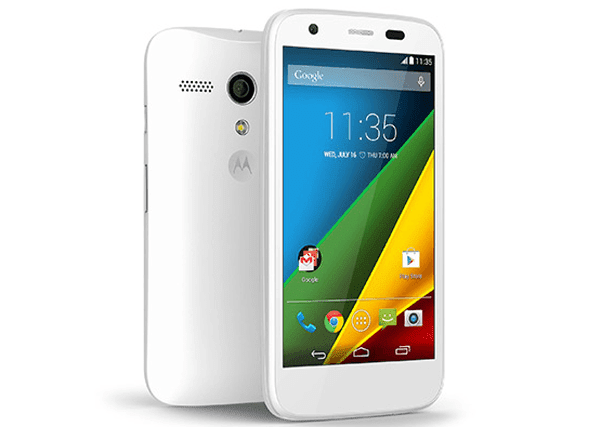
Suppose you would like to set a password to lock your Moto E phone, you can follow the steps below to achieve your goal.
Related Articles:
How to Turn on USB Debugging in Moto E
How to Set Password on Moto XT681
How to Set Password on Moto XT928
Motorola USB Drivers for Android Phones
How to Retrieve Deleted Phone Contacts from Motorola Moto G Android
Available link for download