Showing posts with label imei. Show all posts
Showing posts with label imei. Show all posts
Tuesday, April 11, 2017
How to repair replace invalid imei on Android Tablets and Smartphones
How to repair replace invalid imei on Android Tablets and Smartphones
How to Replace or Repair Invalid IMEI on Android Tablets and Smartphones.
Imei Invalid Android Fix
Dany Genius Tab G4 Invalid IMEI Repair
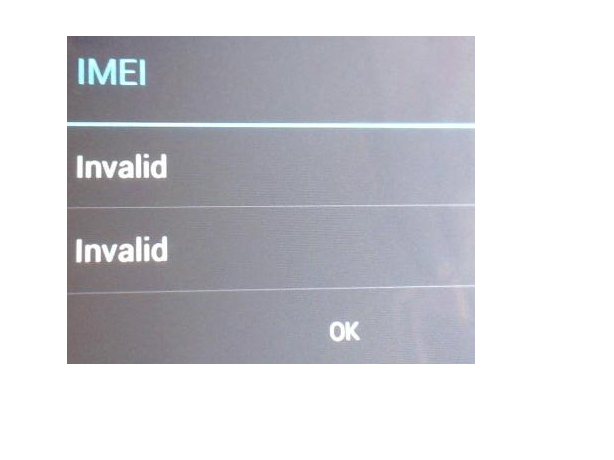
What is IMEI ?
Imei is 14 digit base unique identity for Tablets and mobiles. You can find it under the battery starting with 35xxxx or 1xxxxxx .
This tutorial is about fixing Invalid Imei for your smartphone and tablets . If your imei is corrupt or invalid or showing Null ,then you wont able to use your Sim card or GSM Services. Here is very simple way to repair invalid imei in Android tablets and smartphones.
Note:- This tutorial is about MTK CPU Based Android Tablets. The tool and tutorial will only work for MTK Cpu based tablets . Do not try it with Allwinner or Rockchip based tablets.
To check your imei you need to enter a code *#06# on your dialer . If imei is corrupted then it wont show the proper imei.
To repair invalid IMEI on MTK CPU based android smartphones and tablets , you need MTK Droid Tools. Download MTK DROID TOOLS .
Turn on USB Debugging Mode on your tablet or smartphone.
Connect your tablet with computer and run MTKdroidTools.exe .
To repair invalid IMEI on MTK CPU based android smartphones and tablets , you need MTK Droid Tools. Download MTK DROID TOOLS .
Turn on USB Debugging Mode on your tablet or smartphone.
Connect your tablet with computer and run MTKdroidTools.exe .

All information regarding your tablet will be show . On lower corner of software screen, you will see yellow box with name of your MTK devices. You must root your smartphone or android tablet to repair the invalid imei .
For Root click on Root button .
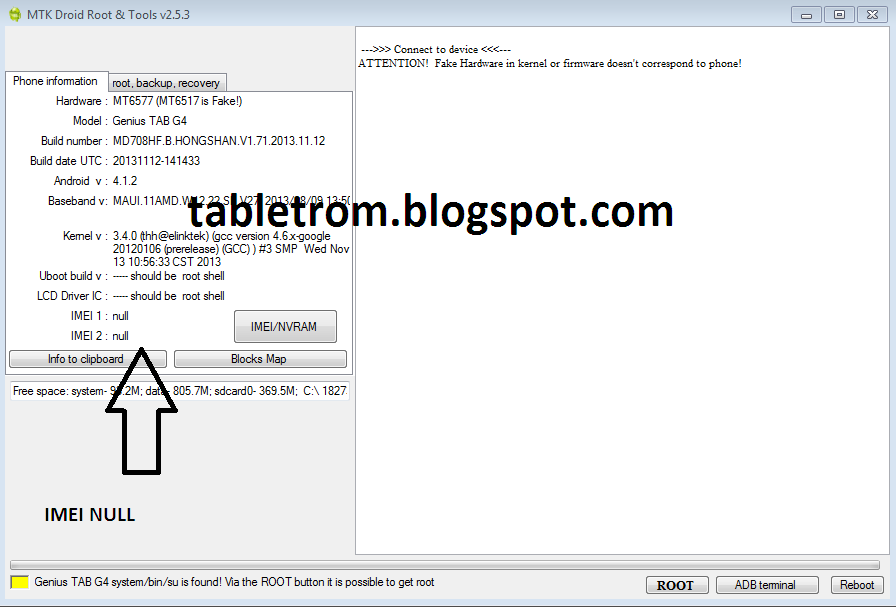
Some files will be run into software and the box in the lower left corner turn into green. You will see (Root Shell) written after your device name.(as shown below picture).A SU(Super User) icon will appear on your tablet or smartphone .

Now Click on IMEI/NVRM button . Write Original IMEI or whatever IMEI you want . Do not forget to add country code in start before IMEI number. For example, the user in united state of america must add 01xxxxxxxxxxxx and then 12digit IMEI . IMEI must be 14 digit long. First two digit of your country code and then 12 digit of IMEI number. Click on Replace IMEI. A pop up window will appear click OK .

Changes will take effect shortly . If you still not see IMEI then Reboot tablet with reboot button. IMEI number will be available as show below. You are done. Now you can use SIM, 3G/4G,GPRS features on your tablet or smartphones.

I have personally Repair Invalid IMEI with above written method. I used to repair IMEI of DANY GENIUS TAB G4 and the method worked like charm. I do not take responsibility of any damages.
You may Also Like :
How To Root Android Smartphones
What is Recovery in Android
What is Rooting means in Android
How to Root Allwinner Tablets
Fix Screen Shift on Allwinner Tablet
Touch Replacement Video Tutorial .
How To Root Android Smartphones
What is Recovery in Android
What is Rooting means in Android
How to Root Allwinner Tablets
Fix Screen Shift on Allwinner Tablet
Touch Replacement Video Tutorial .
Available link for download

Tuesday, February 28, 2017
Guide How to Find IMEI or MEID Number on a Mobile Smartphone Device
Guide How to Find IMEI or MEID Number on a Mobile Smartphone Device
[Guide] How to Find IMEI or MEID Number on a Mobile Smartphone Device.
Find IMEI Number. This guide will show you how to Find IMEI or MEID Number on a Mobile Smartphone Device. IMEI literally stands for International Mobile Equipment Identity. Each and every Mobile Smartphone device should have a unique IMEI Number. A standard IMEI number is a Fourteen (14) digit decimal string accompanied by an additional check number. There are many may to find this IMEI number on your Mobile smartphone device. And now we will show it to you, just following the guide below.
Find IMEI Number.
- Using Android Smartphone Menu.
- Go to Android Setting Menu. Just go to App Drawer and find Setting menu, then Tap it.

IMEI number - setting menu - Then tap About Phone. To find it just Scroll menu to the bottom of screen.
- Then tap Status. Scroll down until you find the MEID or IMEI entry. this is difference between IMEI dan MEID.
- IMEI : GSM networks like AT&T and T-Mobile.
- MEID : CDMA networks such as Sprint, Verizon, and US Cellular.
- Dialing Code on Dial Pad.
- Open Dial Pad on your Android Mobile smartphone.
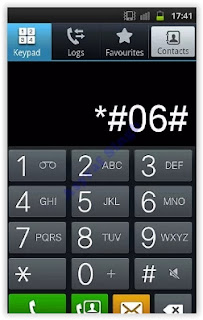
IMEI number - dialing code - Then Dial :
- *#06#
- You dont need to press or tap Call or Send button on your screen.
- Then, the IMEI/MEID number will appear as soon as you finish dialing the code.
- You can write the number down, or copy and paste it to the Email or Message.
- Find IMEI / MEID Under Battery.
- This is a simple way you can do. But, its possible on a phone with removable battery.
- Just remove the back phone cover.
- Then take out the battery tray.
- Once your battery removed, now see behind the battery.
- You will see printed IMEI or MEID number on mobile smartphone body.

IMEI number - under battery - Now, write down this number.


Available link for download
Subscribe to:
Posts (Atom)