Showing posts with label extension. Show all posts
Showing posts with label extension. Show all posts
Friday, February 17, 2017
How to Identify Files that don’t have an Extension
How to Identify Files that don’t have an Extension
 When we download files from torrents or other sites, sometimes the downloaded file may not have any extension. So windows cant identify the file type. To open the file we should know the extension.
 By Googling you will get many tools to identify the extension and file type. I am sharing a best tool that worked well for me. It is very small in size and very easy to use.
Download TrIDNet and XML Definition here
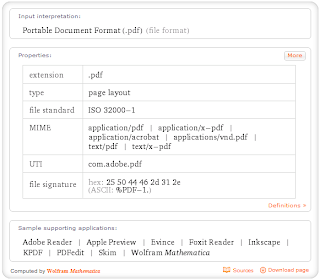
When you get the file extension if you want to know which software is required to preview that file.Just go to WolframAlpha Website and enter the extension with dot.for example if you want to know pdf enter .pdf ,now you will get something like below image.
Available link for download

Monday, December 12, 2016
How to change file extension in Android
How to change file extension in Android
How to Rename ,Zip ,root files on Android
How to change file extension in Android phones
how to find root directory on android phones
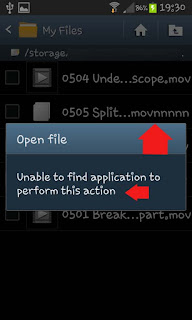
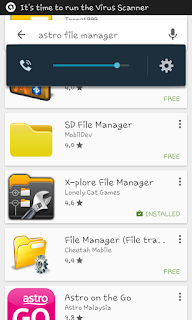
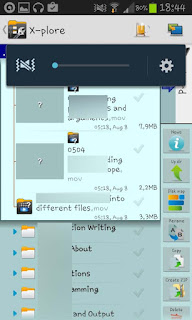
First of all you need to download any File Manager for android from Google Play Store. Open Google Playstore and search for file manager . you will have list of various file manager apps for android. For the reference I will use X-plore android app.
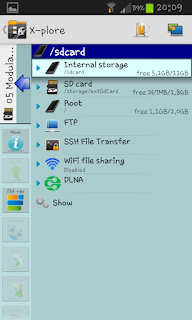
Open X-Plore android app , go to storage where file is saved . (Internal memory or SD Card or Root directory). If you are looking for root directory in android , you can also find it under the storage option in file manager app.
locate folder in which file or video is located .
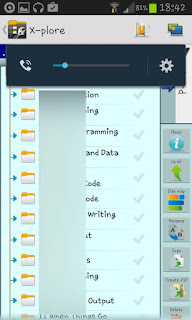
Got to file , Press and hold the file or video which you want to change extension or need to rename . A pop up box will be open , select Rename option . You can also use other option on this point like copy,move,create zip ,delete etc.
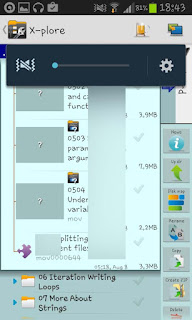
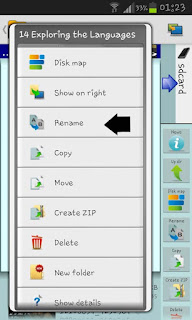
Change the name of file or change the extension of any file .
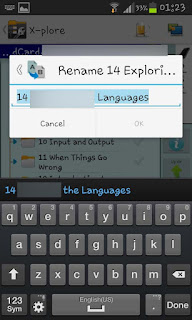
You are done . Your files are ready to use.
All the logo , images and files are property of their respective owners. Android soldier does not claim any credit .
Available link for download
Subscribe to:
Posts (Atom)