Showing posts with label huawei. Show all posts
Showing posts with label huawei. Show all posts
Friday, April 7, 2017
GB Key Pack4 Huawei Module ver 1 19 Setup Download
GB Key Pack4 Huawei Module ver 1 19 Setup Download
GB-KEY HUAWEI MODULE
Ver. 1.19 Released
OBLIGATORY USE THIS VERSION

Unofficial Support Site By Welcome Zone Haldwani
If you Open an Old Version, You will Get Link to Download New one.
******************
*** Whats New ***
******************
- Hisilicon Based Phones
- Rewritten and Improved Comunication with All Hi-Silicon Based phones
no more : error getting authority
- Added Supported for engineer mobile phones World First.
HOW TO USE THIS MODULE :
This Module for servicing HUAWEI Phones is in a separated Software, not in same Classical GBKEY SW.
Download from HERE
- Open SW and go Config Tab
- Click BUY 1 Year activation
- Make payment and your GBKEy SN will be activated with HUAWEI Module for 1 year.
How to Use FRP Feature :
- Open Sw and go COnfig Tab
- Click Buy Credits and do payment
- Your GBKEY account will be filled with Credits and you will be able to do FRP Remove
Pricing :
- Module Activation price is 42 eur.
Paying this ammont, you will be able to do factory Unlock/Repair imei of all Huawei phones, unlimited during 1 year. after 1 year, a renovation is required
- FRP Remove is Credits Based, Need get Modue Activated : 1 Frp Remove = 4$
Disclaimer: This Feature is released to repair original Imei of your phone... Changing of IMEI is illegal in some countries, and we will not be held responsible for any consequences that befall
Setup Download Link for Huawei Module
Any question, Help needed, Ideas post in this Thread. All posts out of Thread Title will be deletedBest Regards
Available link for download

How to Set Password on HUAWEI U8800 U8800
How to Set Password on HUAWEI U8800 U8800

Setting a password to keep the phone data safe is one of the universal choices among customers, but not every user knows how to set a password on his or her phone. Hence, the post primarily introduces how to set a password on HUAWEI U8800/U8800+ phone.
Step 1: Get into Settings.
Step 2: Open Location and security.
Step 3: Choose Screen lock.
Step 4: Select Password from the listed options.
Step 5: Enter at least 4 characters to make up the password and click Continue.
Step 6: Re-enter the code and tap OK to finish the setting.
Related Articles:
How to Set Password on HUAWEI Ascend P6/P7
How to Turn on USB Debugging in Huawei Honor 3X
Huawei Android USB Drivers
Available link for download
Friday, March 24, 2017
How to Set Password on HUAWEI C8817L
How to Set Password on HUAWEI C8817L
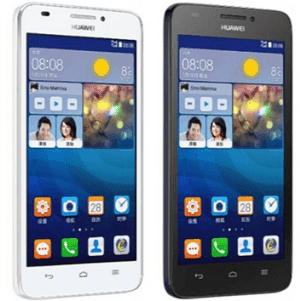
The method to set a password on HUAWEI C8817L phoneis further illustrated by the following steps.
Step 1: Open Settings from the home screen.
Step 2: Locate and click Security.
Step 3: Select Screen lock.
Step 4: Choose Password from the options provided (i.e. Not locked, Huawei unlock, Face Unlock, Pattern, PIN and Password).
Step 5: Enter at least 4 characters to be the password and tap Continue when done.
Related Articles:
How to Set Password on HUAWEI C8813
How to Set Password on HUAWEI U8800/U8800+
How to Set Password on HUAWEI Ascend P6/P7
How to Set Password on HUAWEI Honor 3X
How to Set Password on HUAWEI Honor 3C
Available link for download
Friday, March 3, 2017
How to Set Password on HUAWEI Honor 3X
How to Set Password on HUAWEI Honor 3X

Cannot find the Password setting in your HUAWEI Honor 3X phone? In fact, you can locate it in “Screen lock” settings. If you still have no idea where it is, you can refer to the following guide which not only tells you how to find it, but also teaches you how to set a password.
Step 1: Enter Settings.
Step 2: Locate and access Security.
Step 3: Find and select Screen lock in Security settings.
Step 4: Choose Password to go on.
Step 5: Set up a password according to the following instruction.
Enter at least 4 characters (including at least 1 letter) in the empty box and click Continue. After that, re-enter the code and tap OK.
Related Articles:
How to Turn on USB Debugging in Huawei Honor 3X
How to Set Password on HUAWEI Ascend P6/P7
How to Set Password on HUAWEI U8800/U8800+
Huawei Android USB Drivers
Available link for download
Wednesday, March 1, 2017
Hard Reset HUAWEI Y6 SCL U31 Smartphone
Hard Reset HUAWEI Y6 SCL U31 Smartphone
Hard Reset HUAWEI Y6 SCL-U31 Smartphone.
how to


How to hard reset HUAWEI Y6 Android Phone ?
In case of forgotten Pattern lock or Passcode or Hang on logo you can use Recovery to reset your smartphone.
1. Take battery out or turn off your HUAWEI Y6.
1. Take battery out or turn off your HUAWEI Y6.
2. Press and hold Volume UP button and Power button together until HUAWEI logo appear.
3.leave power button but keep holding volume button.
4. Recovery Menu with EMUI will appear and you will have following message as shown below. Use volume up or down button to make your choice .

5. Select Wipe Data / Factory Reset and press power button to proceed.

6. Confirm your action . This will erase all user data from your HUAWEI Smartphone and this action cannot be undo. Select again wipe data /factory reset and press power button. All the data will be erased on your device . Wait for reboot and your are successfully hard reset HUAWEI Y6 Android Smartphone.
Disclaimer : The following tutorial and procedure is based on my personal experience . Found safe . All the logos are property of their respected owners.
Available link for download
Thursday, February 9, 2017
How to Set Password on HUAWEI Honor 3C
How to Set Password on HUAWEI Honor 3C
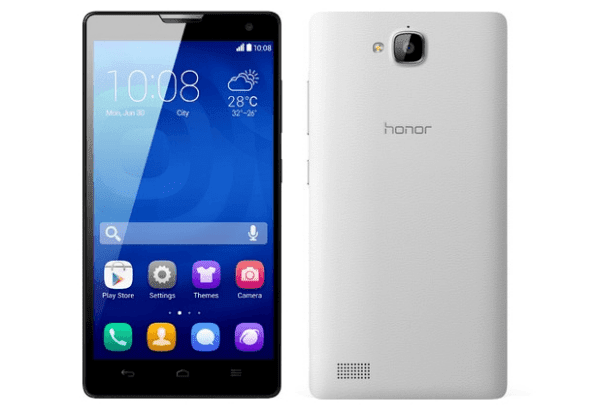
FYR, you can set a password to your HUAWEI Honor 3C phone in the Security settings. Additionally, this post illustrates the practical operation by the following steps.
Step 1: Access Settings.
Step 2: Locate and open Security in All settings.
Step 3: Tap Screen lock to go to the next procedure.
Step 4: Select Password in the list.
Step 5: Set a password according to the direction.
In more detail, enter at least 4 characters to be the code and tap Continue. Then re-enter the password and choose OK.
Related Articles:
How to Set Password on HUAWEI Honor 3X
How to Set Password on HUAWEI Ascend P6/P7
How to Set Password on HUAWEI U8800/U8800+
How to Turn on USB Debugging in Huawei Honor 3X
Huawei Android USB Drivers
Available link for download
Wednesday, February 8, 2017
GSM Aladdin Key V2 Released Ver 1 22 Huawei Add Spd 7730 31 Added
GSM Aladdin Key V2 Released Ver 1 22 Huawei Add Spd 7730 31 Added

ALADDIN KEY V2 support " MTK NAND CHIP " & " SPD 6820/8810
Lava Iris 356 Piinlock Direct Removed No Need Adb , No data Loss
Intex Aqua Y2 Pattern Code Read No Need ADB No Need Root No Data Loss
Huawei Qualcomm mobile unlock
Huawei mtk mobile unlock
Huawei sp unlock
Huawei reset security
SPD sc7730/31 Write Flash
SPD sc7730/31 red write NV
SPD sc7730/31 repair IMEI
READ MORE
Available link for download
Saturday, February 4, 2017
GB KEY HUAWEI Module v 1 13 Setup Download
GB KEY HUAWEI Module v 1 13 Setup Download
GB-KEY HUAWEI MODULE
Ver. 1.13 Released
OBLIGATORY USE THIS VERSION

Unofficial Support Site by Welcome Zone Haldwani
If you Open an Old Version, You will Get Link to Download New one.
******************
*** Whats New ***
******************
- Hisilicon Based Phones
Available Features :
-Unlock : Direct Unlock with USB Cable in Manufacturer mode, No root Needed
-Repair : Repair Imei, Imei2, SN, BSN, BT, Wifi.
-Remove FRP for all Hi-Silicon Phones
- Qualcomm Based Phones
Available Features :
-Unlock : Direct Unlock with USB Cable in Manufacturer mode, No root Needed
-Repair : Repair Imei, Imei2, SN, BSN, BT, Wifi.
-Remove FRP for all Qualcomm Phones
HOW TO USE THIS MODULE :
This Module for servicing HUAWEI Phones is in a separated Software, not in same Classical GBKEY SW.
Download from HERE
- Open SW and go Config Tab
- Click BUY 1 Year activation
- Make payment and your GBKEy SN will be activated with HUAWEI Module for 1 year.
How to Use FRP Feature :
- Open Sw and go COnfig Tab
- Click Buy Credits and do payment
- Your GBKEY account will be filled with Credits and you will be able to do FRP Remove
Pricing :
- Module Activation price is 42 eur.
Paying this ammont, you will be able to do factory Unlock/Repair imei of all Huawei phones, unlimited during 1 year. after 1 year, a renovation is required
- FRP Remove is Credits Based, Need get Modue Activated : 1 Frp Remove = 4$
Disclaimer: This Feature is released to repair original Imei of your phone... Changing of IMEI is illegal in some countries, and we will not be held responsible for any consequences that befall
alternative Link for Huawei Module
Any question, Help needed, Ideas post in this Thread. All posts out of Thread Title will be deletedSample of Repairing Qualcomm Based Phone :
Code:
GBKey Huawei Pack4 1.13
Detecting...
Detected : (Qualcomm) DBAdapter Reserved Interface (COM109)
Authenticating...
Connecting...
Connected to server Ok
Checking GBKey...
GBKey Ok
Requesting Info...
Authentication Passed
Reading Info...
---------- Version Info -----------
G7-L01C464B340_BOOT
MSM8916C00B252_AMSS Nov 2 201520:32:25
G7-L01_B023_EFS_RFNV_C02
HL1G760SM
G7-L01C464B340_APPSBOOT
G7-L01C464B340_KERNEL
G7-L01C464B340_SYSTEM
G7-L01C464B340_RECOVERY
MSM8916
HUAWEI G7-L01
C464
D006
MSM8916_G760-L01_
-----------------------------------
IMEI : 8643240xxxxxxxxx
SN : Q9ZDU153xxxxxxxx
BSN : DU2UCV1xxxxxxxx
BT : 90:67:1C:xx:xx:xx
Wifi : 90:67:1C:xx:xx:xx
Bootloader code : None
Connecting...
Connected to server Ok
Checking GBKey...
GBKey Ok
Requesting Info...
Repairing Imei...
Repairing BT Address...
Repairing WIFI Address...
Repairing Imei 2...
Repairing SN...
Resetting...
Repair Ok
Finished.
Best Regards
Available link for download
Thursday, January 5, 2017
How to Set Password on HUAWEI U8825D Ascend G330D
How to Set Password on HUAWEI U8825D Ascend G330D
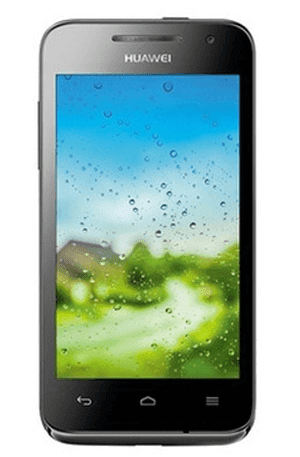
To set a password to secure your HUAWEI U8825D (also referred to Ascend G330D) phone, you can follow the procedures below.
1. Go to Settings.
2. Find and open Security.
3. Select Screen lock.
4. Choose Password to go on.
5. Input a password and click Continue.
Note: Make sure the password contains at least 4 characters, including at least 1 letter.
Related Articles:
- Huawei Android USB Drivers
- How to Set Password on HUAWEI U8818/Ascend G300
- How to Set Password on HUAWEI Honor 3X
- How to Set Password on HUAWEI Honor 3C
- How to Set Password on HUAWEI Ascend P6/P7
Available link for download
Tuesday, December 20, 2016
How To Decode Vodafone Huawei K3770 USB Modem
How To Decode Vodafone Huawei K3770 USB Modem
|
|

 |
|
| ||
|
| ||
|
| ||
|
|
|
|
Note:- There is important point to note. you must disable your pc antivirus before downloading and running this softwares. Softwares file appears as a virus for many antivirus but it wont harm you in any way. so just disable antivirus, you can enable it after unlocking. |
| ??? Related Posts ??? |
|
Available link for download
Friday, December 9, 2016
How to Set Password on HUAWEI U8818 Ascend G300
How to Set Password on HUAWEI U8818 Ascend G300
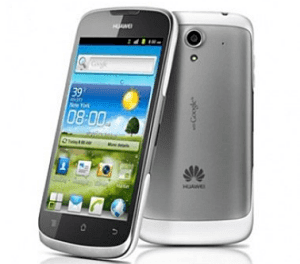
Following the procedures below, you can quickly set a password on your HUAWEI U8818 phone (also known as HUAWEI Ascend G300).
1. Open Settings.
FYR, you can tap the bottom-left Menu Key and select Settings in the pop-up menu.
2. Find and click Location and security.
3. Select Screen lock.
4. Choose Password from the provided options.
5. Type at least four characters and click Continue when done.
6. Re-type the password created and tap OK.
Related Articles:
- How to Set Password on HUAWEI C8817L
- How to Set Password on HUAWEI C8813
- How to Set Password on HUAWEI Honor 3C
- How to Set Password on HUAWEI Honor 3X
- How to Set Password on HUAWEI Ascend P6/P7
Available link for download
Monday, November 7, 2016
How to Set Password on HUAWEI Ascend P6 P7
How to Set Password on HUAWEI Ascend P6 P7
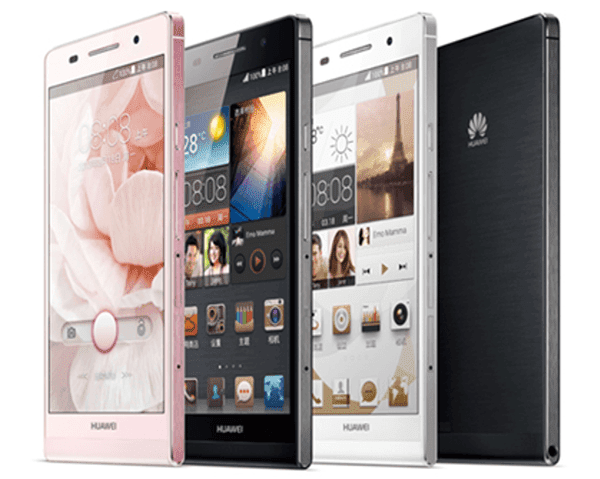
There are two ways you can apply to set a password on your HUAWEI Ascend P6/P7 phone, which are respectively introduced below.
Method 1: Set it up in All settings.
1. Open Settings and choose Securityin All settings.
2. Select Screen lock to go on.
3. Choose Password from the options provided.
4. Enter at least 4 characters (including at least 1 letter) and tap Continue.
5. Re-enter the password and click OK.
Method 2: Set a password in General settings.
1. Access Settings and select Generalon the top left corner.
2. Choose Screen lock.
3. Select Screen lock in the following interface.
4. Click Password to move on.
5. Type a password composed of at least 4 characters and click Continue.
6. Re-type the code and tap OK.
Related Articles:
How to Set Password on HUAWEI U8800/U8800+
How to Turn on USB Debugging in Huawei Honor 3X
Huawei Android USB Drivers
Available link for download
Sunday, November 6, 2016
GB Key Huawei Module ver 1 12 Setup Download
GB Key Huawei Module ver 1 12 Setup Download
GB-KEY HUAWEI MODULE
Ver. 1.12 Released
OBLIGATORY USE THIS VERSION

Unofficial Support Site by Welcome Zone Haldwani
If you Open an Old Version, You will Get Link to Download New one.
******************
*** Whats New ***
******************
- Fixed Bug Repair Imei for Hisilicon Based Phones
Disclaimer: This Feature is released to repair original Imei of your phone... Changing of IMEI is illegal in some countries, and we will not be held responsible for any consequences that befall
This version do not Repair Scurity, so any phone alterated by a third-party sw can give Error.
- Fixed BUG FRP Reset phones
Factory Reset Protection Remove for Huawei phones should support more than 80% of existing phones with any CPU (HQXA not added yet. Hope in Next Release as is not really Hot y560, y635)
- Added CONFIG TAB, to Buy Activation / Credits
This Module is STILL FREE for all GBKEY USERS for a limited period, all GB-KEY Users are able to use for free till Offer Period is Over.
This module will be paied in Few Days.
FRP will be Credit Based in Few Days
Get a Profit since is STILL FREE
DOWNLOAD LATEST VERSION OF HUAWEI MODULE
@Users, Please post reports, bugs (if exist) and ideas/advice or any request if needed.
any post out of thread object will be deleted.
Best Regards
Available link for download
Tuesday, October 25, 2016
GB Key Huawei Module v 1 09 Setup Download
GB Key Huawei Module v 1 09 Setup Download
GB-KEY HUAWEI MODULE
Ver. 1.09 Released

Unofficial Support Site by Welcome Zone Haldwani
*** Whats New ***
******************
- Added Repair Imei for Hisilicon Based Phones
Disclaimer: This Feature is released to repair original Imei of your phone... Changing of IMEI is illegal in some countries, and we will not be held responsible for any consequences that befall
- Added FRP Reset for 90% of Huawei phones
Factory Reset Protection Remove for Huawei phones should support more than 80% of existing phones with any CPU (HQXA will be added in next release such y560, y635)
- Unlock Process is faster and Fixed some small Bugs
This Module is FREE for all GBKEY USERS for a limited period, all GB-KEY Users are able to use for free till Offer Period is Over. This module will be paied and FRP will be Credit Based
DOWNLOAD LATEST VERSION OF HUAWEI MODULE
@Users, Please post reports, bugs (if exist) and ideas/advice or any request if needed.
any post out of thread object will be deleted.
Best Regards
Available link for download
Monday, October 17, 2016
How to Set Password on HUAWEI C8813
How to Set Password on HUAWEI C8813

To set a password on HUAWEI C8813 phone, you can adopt either of the following two methods.
Way 1: Set a password in All settings.
Step 1: Open Settings.
Step 2: Choose Security in All settings.
Step 3: Click Screen lock to move on.
Step 4: Select Password.
Step 5: Enter at least 4 characters (including at least 1 letter) and click Continue.
Step 6: Re-enter the password and tap OK.
Way 2: Set a password in General settings.
Step 1: Access Settings.
Step 2: Select General on the top left.
Step 3: Choose Screen lock.
Step 4: Click Screen lock in the next interface.
Step 5: Select Password.
Step 6: Set up a password according to the guidance mentioned above.
Related Articles:
How to Set Password on HUAWEI U8800/U8800+
How to Set Password on HUAWEI Ascend P6/P7
How to Set Password on HUAWEI Honor 3C
How to Set Password on HUAWEI Honor 3X
How to Turn on USB Debugging in Huawei Honor 3X
Available link for download
Subscribe to:
Posts (Atom)