Showing posts with label ascend. Show all posts
Showing posts with label ascend. Show all posts
Thursday, January 5, 2017
How to Set Password on HUAWEI U8825D Ascend G330D
How to Set Password on HUAWEI U8825D Ascend G330D
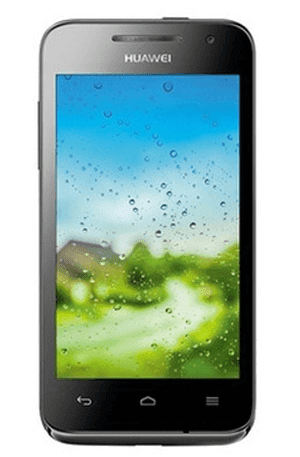
To set a password to secure your HUAWEI U8825D (also referred to Ascend G330D) phone, you can follow the procedures below.
1. Go to Settings.
2. Find and open Security.
3. Select Screen lock.
4. Choose Password to go on.
5. Input a password and click Continue.
Note: Make sure the password contains at least 4 characters, including at least 1 letter.
Related Articles:
- Huawei Android USB Drivers
- How to Set Password on HUAWEI U8818/Ascend G300
- How to Set Password on HUAWEI Honor 3X
- How to Set Password on HUAWEI Honor 3C
- How to Set Password on HUAWEI Ascend P6/P7
Available link for download

Friday, December 9, 2016
How to Set Password on HUAWEI U8818 Ascend G300
How to Set Password on HUAWEI U8818 Ascend G300
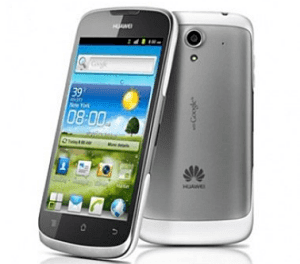
Following the procedures below, you can quickly set a password on your HUAWEI U8818 phone (also known as HUAWEI Ascend G300).
1. Open Settings.
FYR, you can tap the bottom-left Menu Key and select Settings in the pop-up menu.
2. Find and click Location and security.
3. Select Screen lock.
4. Choose Password from the provided options.
5. Type at least four characters and click Continue when done.
6. Re-type the password created and tap OK.
Related Articles:
- How to Set Password on HUAWEI C8817L
- How to Set Password on HUAWEI C8813
- How to Set Password on HUAWEI Honor 3C
- How to Set Password on HUAWEI Honor 3X
- How to Set Password on HUAWEI Ascend P6/P7
Available link for download
Monday, November 7, 2016
How to Set Password on HUAWEI Ascend P6 P7
How to Set Password on HUAWEI Ascend P6 P7
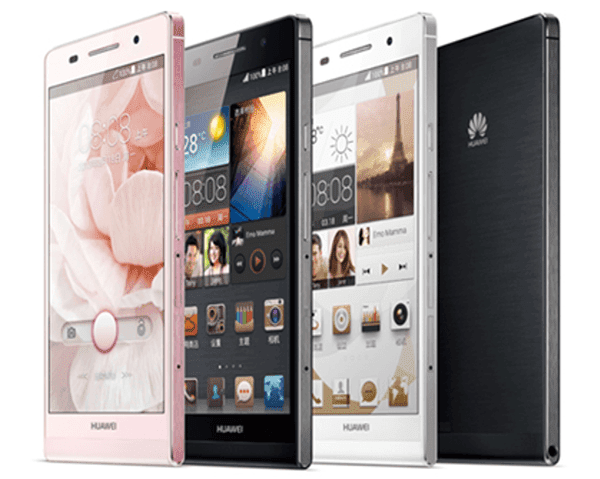
There are two ways you can apply to set a password on your HUAWEI Ascend P6/P7 phone, which are respectively introduced below.
Method 1: Set it up in All settings.
1. Open Settings and choose Securityin All settings.
2. Select Screen lock to go on.
3. Choose Password from the options provided.
4. Enter at least 4 characters (including at least 1 letter) and tap Continue.
5. Re-enter the password and click OK.
Method 2: Set a password in General settings.
1. Access Settings and select Generalon the top left corner.
2. Choose Screen lock.
3. Select Screen lock in the following interface.
4. Click Password to move on.
5. Type a password composed of at least 4 characters and click Continue.
6. Re-type the code and tap OK.
Related Articles:
How to Set Password on HUAWEI U8800/U8800+
How to Turn on USB Debugging in Huawei Honor 3X
Huawei Android USB Drivers
Available link for download
Subscribe to:
Posts (Atom)