Showing posts with label a12. Show all posts
Showing posts with label a12. Show all posts
Wednesday, March 29, 2017
How to root karbonn A12 star
How to root karbonn A12 star

Requirements :
KARBONN USB DRIVER
BIN4RY
Step-By-Step Instructions:-
1.Go To Settings>Security & Enable The Install From Unknown Source. (Skip If Already Enabled)
2. Open Rooting Software File and Unzip Software
3. After that Connect Your Karbonn Android Mobile, and before to connecting make sure you have install Driver and Enable USB Debugging.
4. After that Wait few mins
5. Then open Rooting software folder and click on "RunMe.bat" file
6. Then you see Many option, so Type "1" for normal and press enter, then in few sec your mobile rooted and you have see message "Your mobile is rooted successfully".
7. And when you have need to unroot your mobile then open "RunMe.bat" file and type "x" and press enter then your mobile unrooted.
NOTE:
This article related to Rooting of Karboon Android Mobile Phone, and may be its work properly, if you have getting any problem use universal root
Available link for download

Sunday, March 5, 2017
How to root Karbonn A12
How to root Karbonn A12
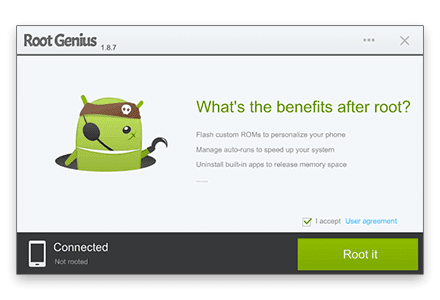
Root Genius is One click root tool designed to work on Windows Computer. It helps user to root their Android Smartphone in single click. Here, we are going to guide you how to use Root Genius to root any Android Device.
Note: If you are using any Antivirus Application on your computer then disable it first then after follow the below tutorial.Requirements:
1. Root genius
2.USB driver(for your android click here)
STEPS TO ROOT ANDROID :-
Step 1: Enable USB Debugging on your Android Smartphone. To enable USB debugging, Open Settings > Developers Option > USB Debugging > Tick to Enable. (if u dont know how to enable usb debugging click here )Step 2: Download and Open Root Genius Application on your Windows Computer and install usb driver
Step 3: Once Root Genius Application is launched, connect your Android device to the computer (with USB Debugging enabled).
Step 4: Once Your Smartphone is connected successfully to the computer, Root Genius will automatically detect your Android Device.
Step 5: Now, Click on the “Root Now” button to begin the rooting process.
Step 6: Now, Root Genius will automatically “Root” your Android Device and install the KingUser Application
Step 7: Now your Android Device is Rooted. To check whether your phone is rooted correctly, open Applications Menu, there you will be able to see a new app installed, called KingUser. If this app exist then it means you have successfully rooted your device.
Optional: You can also verify that your device is successfully rooted or not by Root Checker Application.
************************************************************
Available link for download
Wednesday, January 25, 2017
How to root karbonn A12 plus
How to root karbonn A12 plus
Requirements:
1.Vroot
2.USB driver(for your android click here)
3.Root checker
STEPS TO ROOT ANDROID :-
Step 1: Enable USB Debugging on your Android Smartphone. To enable USB debugging, Open Settings > Developers Option > USB Debugging > Tick (if u dont know how to enable usb debugging click here
Step 2: Download and install vRoot Application on your Windows Computer
.
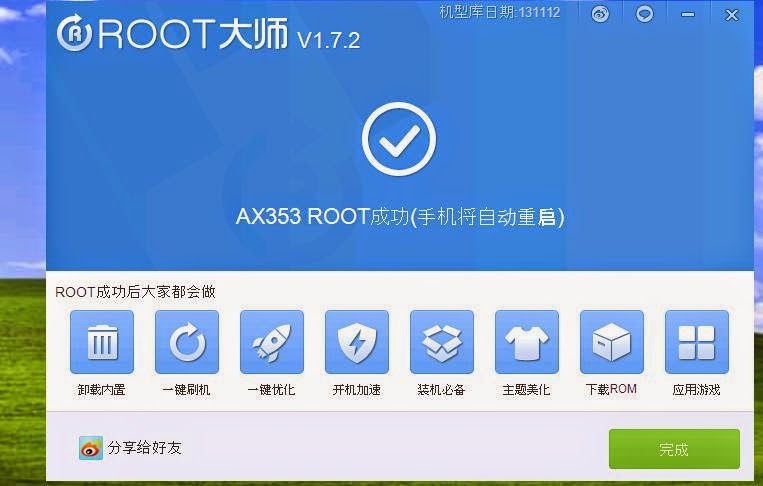
Step 3: Once vRoot Application is installed on your Computer, and install usb driver and Open vroot.
Step 4: Once vRoot Application is launched, connect your Android device to the computer
Step 5: Once Your Smartphone is connected successfully to the computer, vRoot will automatically detect your Smartphone.
Step 6: Now, Click on the “Root” button to begin the rooting process.
Step 7: Now, vRoot will automatically “Reboot” your Smartphone and install the SuperSU Application
Step 8: Now your Android Device is Rooted. To check whether your phone is rooted correctly, open Applications Menu, there you will be able to see a new app installed, called SuperSU. If this app exist then it means you have successfully rooted your device.
Optional: You can also verify that your device is successfully rooted or not by Root Checker Application.
**************************************************************
Available link for download
Subscribe to:
Posts (Atom)